Overview of GitMind
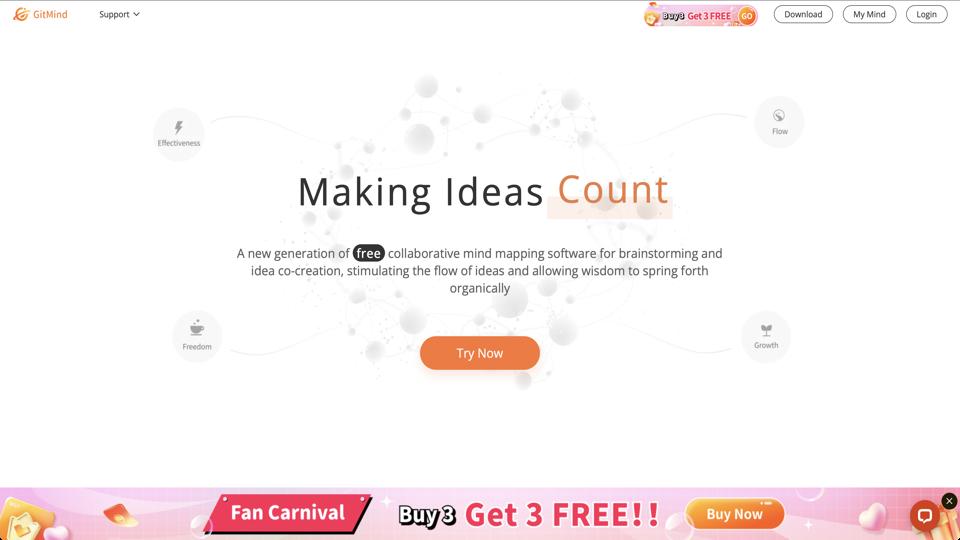
GitMind is a free online mind mapping and brainstorming tool that utilizes AI to help users create, organize, and collaborate on visual diagrams such as mind maps, flowcharts, org charts, and more. Available at gitmind.com, it caters to individuals, teams, and educators looking for an intuitive way to visualize ideas without needing advanced design skills. The tool supports real-time collaboration, AI-assisted generation, and export options, making it suitable for project planning, note-taking, and creative brainstorming.
Key Features
- AI-Powered Mind Mapping: Automatically generates mind maps from text prompts, saving time on initial structuring.
- Collaboration Tools: Real-time editing with multiple users, comments, and sharing via links or exports.
- Template Library: Pre-built templates for various use cases like business plans, SWOT analysis, and timelines.
- Export and Integration: Export to PDF, PNG, TXT, or integrate with platforms like Google Drive and Dropbox.
- Cross-Platform Access: Web-based with desktop and mobile apps for Windows, macOS, iOS, and Android.
- Customization Options: Themes, icons, and layout adjustments for personalized diagrams.
Pros
- User-friendly interface that’s easy for beginners to navigate.
- Free version offers robust features without watermarks or heavy restrictions.
- AI integration speeds up the creative process significantly.
- Strong collaboration features ideal for remote teams.
- No mandatory sign-up for basic use, though accounts unlock more features.
Cons
- Limited advanced features in the free plan, such as unlimited AI generations (capped at a certain number per day).
- Occasional performance lags during heavy collaboration sessions.
- Export options could include more formats like SVG for better scalability.
- Ads in the free version might distract some users.
Pricing
GitMind offers a free plan with basic features. Premium plans start at $9/month (billed annually) or $12/month (monthly), unlocking unlimited AI usage, ad-free experience, priority support, and advanced export options. Enterprise plans are available for larger teams with custom pricing.
Who Should Use GitMind?
This tool is ideal for students, freelancers, project managers, and small teams needing a quick, AI-enhanced way to brainstorm and organize thoughts. It’s less suited for users requiring highly complex diagramming tools like those in Visio or Lucidchart.
Final Verdict
Overall, GitMind earns a solid 4.5/5 rating for its accessibility, AI capabilities, and collaboration focus. It’s a great entry-level tool for visual thinking, especially if you’re on a budget. Visit GitMind to try it out for free.