Overview of FixBlurry.photos

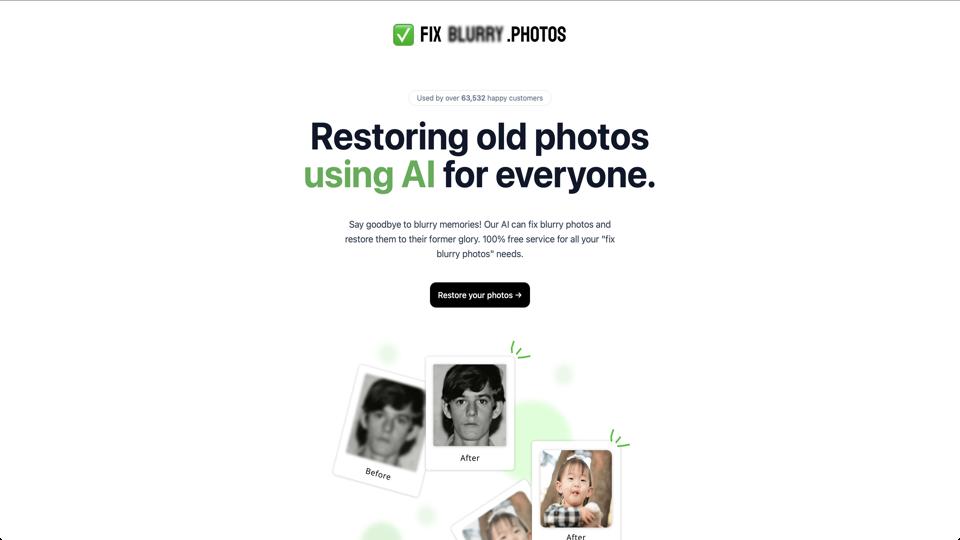
FixBlurry.photos is an online AI-powered tool designed to enhance and sharpen blurry images. It uses advanced artificial intelligence algorithms to analyze and improve photo quality by reducing blur, increasing sharpness, and enhancing details. This tool is particularly useful for photographers, social media users, and anyone dealing with low-quality images from old photos, low-light shots, or camera shakes. Accessible via a simple web interface, it requires no software installation and processes images quickly in the browser.

Key Features

  • AI-Powered Unblurring: Automatically detects and corrects blur in photos, restoring clarity and details.
  • Batch Processing: Allows users to upload and fix multiple images at once, saving time for bulk edits.
  • Enhancement Options: Includes tools for noise reduction, color correction, and upscaling resolution up to 4x.
  • User-Friendly Interface: Drag-and-drop upload system with preview before and after processing.
  • Privacy-Focused: Images are processed on the server and deleted after download, with no storage of user data.
  • Compatibility: Supports common formats like JPEG, PNG, and WEBP, and works on desktop and mobile devices.

How It Works

  1. Visit the website at fixblurry.photos.
  2. Upload your blurry image(s) via drag-and-drop or file selection.
  3. Select enhancement options if needed (e.g., level of sharpening).
  4. Click “Fix” to process the image using AI.
  5. Preview the result and download the enhanced version.

Processing typically takes a few seconds to a minute, depending on image size and complexity.

Pros

  • Impressive results on moderately blurry images, often making them look professional.
  • Free tier available for basic use, with no watermarks on outputs.
  • Fast and intuitive, ideal for beginners without needing advanced editing skills.
  • Regular updates to AI models for better accuracy.

Cons

  • May struggle with extremely blurry or low-resolution images, sometimes introducing artifacts.
  • Premium features (like higher resolution upscaling) require a subscription.
  • Relies on internet connection; no offline mode.
  • Limited customization compared to professional software like Adobe Photoshop.

Pricing

FixBlurry.photos offers a freemium model:

  • Free Plan: Unlimited fixes with basic enhancements, but limited to standard resolution.
  • Pro Plan: $9.99/month or $99/year – Includes advanced features like 4x upscaling, batch processing for unlimited images, and priority support.

No hidden fees, and a 7-day free trial for the Pro plan.

Conclusion and Recommendation

Overall, FixBlurry.photos is a solid choice for quick and effective image deblurring, earning a 4.5/5 rating for its ease of use and AI capabilities. It’s highly recommended for casual users and hobbyists, but professionals might pair it with more robust editing tools. If you’re tired of blurry photos, give it a try at fixblurry.photos – the free version is a great starting point.

Join the AI revolution!
Building the world's finest AI community is no walk in the park, do you want
to be a part of the change? Let's work faster, smarter and better!