
Fronty 1.0(2)

Fronty Review: AI-Powered Image to HTML/CSS Converter

Overview

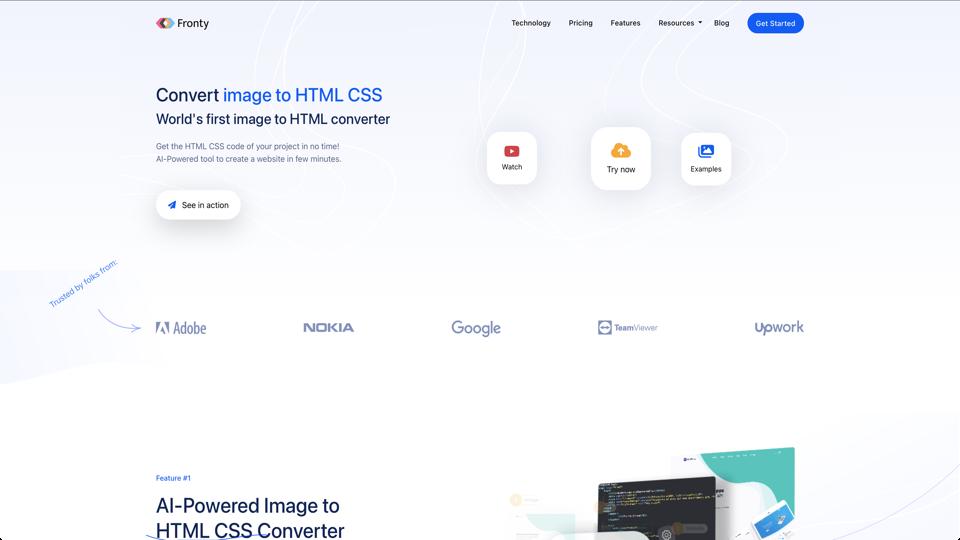
Fronty is an innovative AI-driven tool designed to convert images (such as PSD, JPG, PNG, or screenshots) into clean, responsive HTML/CSS code. Launched to streamline the web development process, it aims to save time for designers and developers by automating the initial coding phase. With Fronty, users can upload a design image, and the AI generates editable code that can be exported to platforms like WordPress or as a static site. It’s particularly useful for rapid prototyping and turning mockups into functional web pages without manual coding from scratch. Visit the official Fronty website for more details.

Key Features

  • AI Image-to-Code Conversion: Automatically transforms design images into HTML/CSS with high accuracy, supporting responsive layouts.
  • Code Editing and Customization: Built-in editor allows tweaking the generated code before export.
  • Export Options: Download as ZIP, integrate with WordPress, or host directly on Fronty’s platform.
  • Responsive Design Support: Ensures the output is mobile-friendly and adaptable to different screen sizes.
  • Collaboration Tools: Share projects with teams for feedback and iterations.
  • Integration with Design Tools: Compatible with popular tools like Figma, Sketch, and Adobe XD via image exports.

Pros

  • Speeds up the development workflow significantly, ideal for freelancers and agencies handling multiple projects.
  • User-friendly interface that’s accessible even for non-coders, with minimal learning curve.
  • Generates clean, SEO-friendly code that adheres to modern web standards.
  • Free trial available, allowing users to test conversions without commitment.
  • Regular updates improve AI accuracy based on user feedback.

Cons

  • AI accuracy can vary with complex designs; manual adjustments are often needed for intricate layouts or custom interactions.
  • Limited support for dynamic elements like JavaScript-heavy features; it’s primarily focused on static HTML/CSS.
  • Pricing can be steep for heavy users, with subscription tiers that might not suit small-scale projects.
  • Dependency on image quality—poorly designed or low-resolution inputs yield suboptimal results.
  • No native mobile app; it’s web-based only.

Pricing

Fronty offers a freemium model with the following plans:

  1. Free Plan: Basic conversions with limited exports and watermarks.
  2. Pro Plan: $9/month – Unlimited conversions, no watermarks, priority support.
  3. Team Plan: $29/month – Collaboration features, advanced exports, and custom integrations.
  4. Enterprise: Custom pricing for large-scale needs with dedicated support.

Discounts are available for annual subscriptions.

Conclusion

Overall, Fronty is a powerful tool for accelerating the design-to-code pipeline, earning a solid 4.2/5 rating from me. It’s best suited for web designers and small teams looking to prototype quickly, but it may not replace full-fledged development for complex sites. If you’re tired of manual HTML/CSS coding, give Fronty a try—it’s a game-changer for efficiency.

Join the AI revolution!
Building the world's finest AI community is no walk in the park, do you want
to be a part of the change? Let's work faster, smarter and better!