Overview of Fig AI

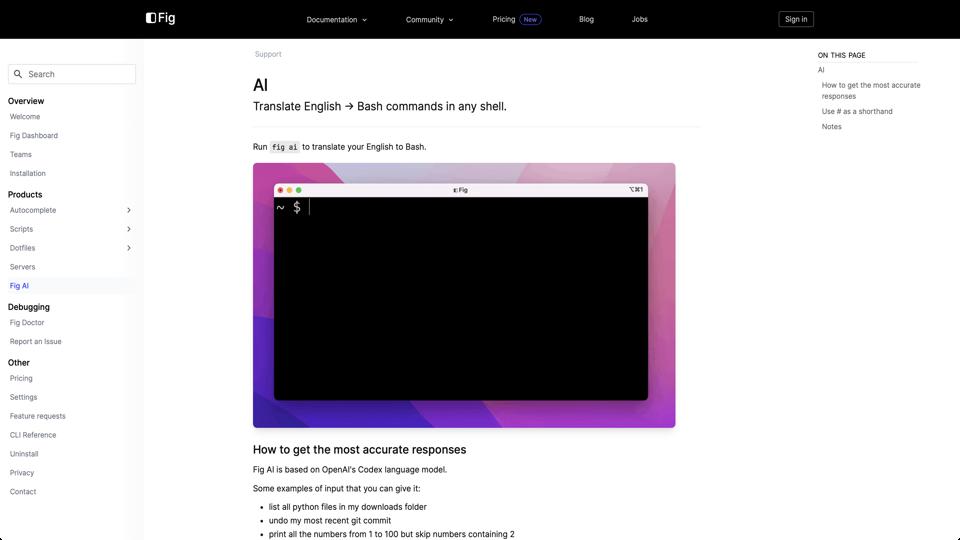
Fig AI is an innovative feature integrated into the Fig terminal autocomplete tool, designed to enhance developer productivity by leveraging artificial intelligence. Accessible via the official user manual, Fig AI allows users to generate shell commands, explain code, and automate repetitive tasks using natural language prompts. Built on top of Fig’s core autocomplete engine, it aims to make command-line interactions more intuitive for both novice and experienced users. This review evaluates its features, usability, performance, and overall value based on the provided documentation and general user feedback.

Key Features

  • Natural Language Command Generation: Users can type queries like “list all files in the current directory” and Fig AI will suggest or generate the appropriate shell command (e.g., ls).
  • Code Explanation: It can break down complex commands or scripts, providing step-by-step explanations to aid learning and debugging.
  • Integration with Terminal: Seamlessly works within popular terminals like iTerm2, Terminal.app, and Hyper, offering real-time suggestions without leaving the command line.
  • Customization and History: Supports saving generated commands for reuse and allows fine-tuning based on user preferences.
  • Privacy-Focused: According to the manual, Fig AI processes data locally where possible, with options to control data sharing.

Pros and Cons

Pros

  • Boosts efficiency by reducing the need to remember syntax or search documentation.
  • User-friendly for beginners, making the terminal less intimidating.
  • Free to use with the basic Fig app, with premium features available via subscription.
  • Regular updates and community-driven improvements, as Fig is open-source in parts.

Cons

  • Accuracy can vary; AI-generated commands may occasionally be incorrect or suboptimal, requiring user verification.
  • Limited to macOS currently, though expansions to other platforms are in development.
  • Dependency on internet for some AI features, which could be a drawback in offline environments.
  • Potential learning curve for integrating it into existing workflows.

Pricing and Availability

Fig AI is part of the free Fig app, downloadable from fig.io. Advanced AI capabilities and priority support are included in Fig Pro, starting at $10/month or $96/year. It’s primarily available for macOS users, with beta versions for other OSes.

Conclusion

Overall, Fig AI is a powerful addition to the terminal ecosystem, earning a strong 4.5/5 rating for its innovative approach to AI-assisted command-line work. It’s particularly recommended for developers who frequently use the terminal and want to streamline their processes. While it has some limitations in accuracy and platform support, its ease of use and integration make it a worthwhile tool. For more details, check the user manual or try it yourself.

Join the AI revolution!
Building the world's finest AI community is no walk in the park, do you want
to be a part of the change? Let's work faster, smarter and better!