
Overview of Fathom Video

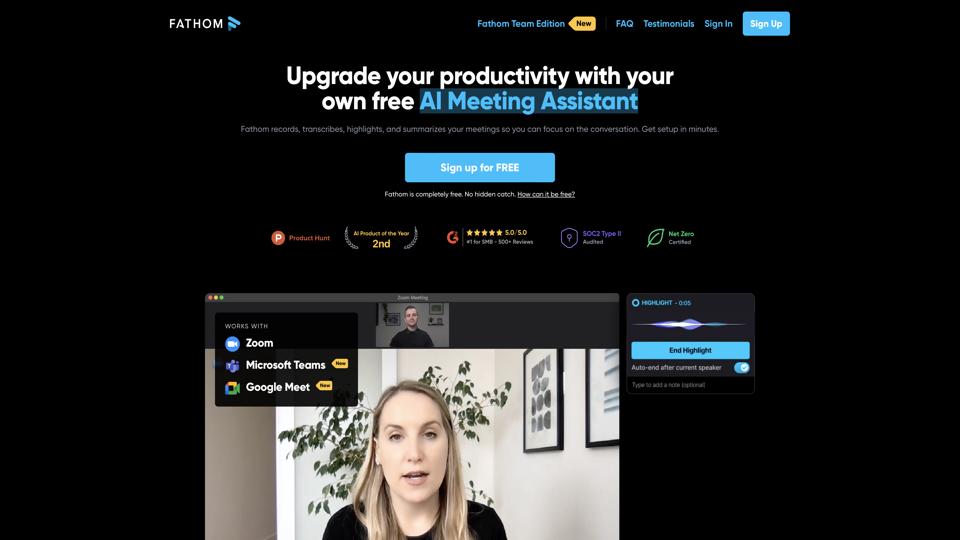
Fathom Video is an AI-powered tool designed to enhance productivity during video calls by automatically recording, transcribing, and summarizing meetings. It integrates seamlessly with platforms like Zoom, Google Meet, and Microsoft Teams, making it ideal for professionals who need to capture key insights without manual note-taking. Launched as a user-friendly alternative to traditional note-taking apps, Fathom emphasizes privacy and ease of use, with features like searchable transcripts and shareable clips. For more details, visit the official website.

Key Features

  • AI-Powered Transcription and Summarization: Automatically generates accurate transcripts and concise summaries of meetings, highlighting action items and key points.
  • Integration with Video Platforms: Works natively with Zoom, Google Meet, and Teams, allowing one-click recording without additional setup.
  • Searchable Notes: Users can search through transcripts for specific keywords, making it easy to revisit discussions.
  • Clip Sharing: Create and share short video clips or highlights from meetings for quick reference.
  • Privacy-Focused: All data is encrypted, and recordings are stored securely with user-controlled access.
  • Collaboration Tools: Share summaries and notes with team members via Slack, email, or CRM integrations like Salesforce.

Pros

  • Time-saving: Eliminates the need for manual note-taking, allowing full focus on the conversation.
  • High accuracy: AI transcription is reliable, with support for multiple languages and accents.
  • User-friendly interface: Intuitive design that’s easy for beginners to adopt.
  • Free tier available: Basic features are accessible without cost, great for testing.
  • Strong integrations: Enhances workflows in remote and hybrid work environments.

Cons

  • Limited to supported platforms: Doesn’t work with all video conferencing tools out of the box.
  • Dependency on internet: Requires stable connectivity for real-time features.
  • Pricing for advanced features: Premium plans can be costly for small teams or individuals.
  • Occasional AI errors: Transcriptions may need minor edits in noisy environments.

Pricing

Fathom offers a tiered pricing model:

  1. Free Plan: Unlimited recordings, basic transcriptions, and summaries for personal use.
  2. Premium Plan: $29/user/month – Includes advanced AI features, unlimited storage, and team collaboration tools.
  3. Team Plan: Custom pricing – For larger organizations with enterprise-level support and integrations.

Prices are subject to change; check the pricing page for the latest details.

Conclusion

Overall, Fathom Video is a highly recommended tool for anyone frequently involved in virtual meetings. Its AI capabilities make it a standout in productivity software, earning it a rating of 4.5/5. If you’re looking to streamline your meeting workflows, it’s worth trying the free version to see if it fits your needs.

Join the AI revolution!
Building the world's finest AI community is no walk in the park, do you want
to be a part of the change? Let's work faster, smarter and better!