
Overview of Contentinator Figma Plugin

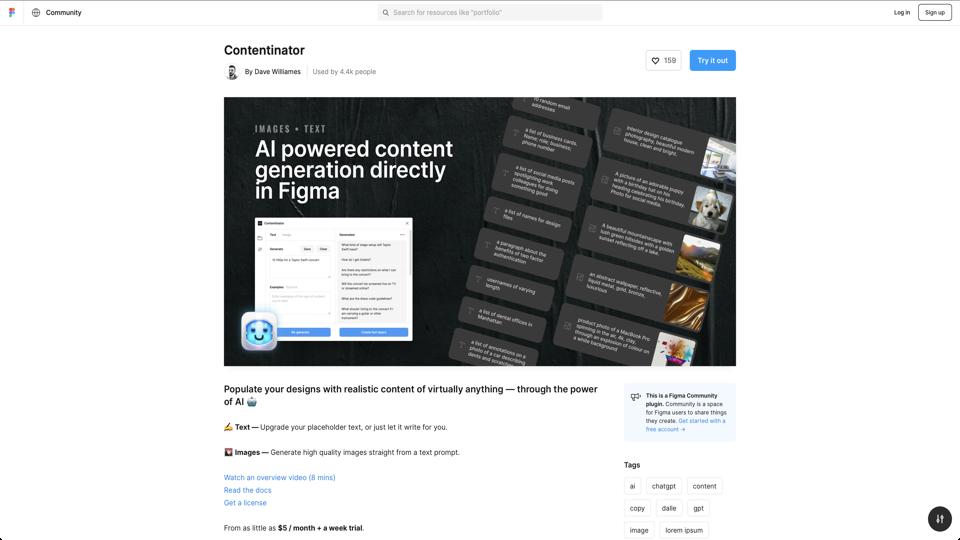
Contentinator is a free Figma plugin designed to streamline the process of adding placeholder content to design prototypes. Available on the Figma Community, it helps designers quickly generate realistic text, images, and other elements without leaving the Figma interface. Developed by a community contributor, it’s particularly useful for UI/UX designers who need to fill designs with dummy data during the early stages of prototyping. Overall, it’s a lightweight tool that enhances productivity by automating repetitive tasks.

Key Features

  • Text Generation: Easily insert lorem ipsum text, random names, emails, or custom placeholders into text layers.
  • Image Placeholders: Generate placeholder images from sources like Unsplash or custom URLs, with options for sizes and categories.
  • Batch Editing: Apply content to multiple selected layers at once, saving time on large designs.
  • Customization Options: Control the length, style, and type of generated content to match your design needs.
  • Integration with Figma: Seamlessly works within Figma’s ecosystem, no external tools required.

Pros

  • Completely free to use, with no hidden costs or subscriptions.
  • Intuitive interface that’s easy for beginners to pick up quickly.
  • Speeds up workflow by reducing the need to switch between apps for content generation.
  • Regular updates from the community ensure compatibility with new Figma features.
  • Supports a variety of content types, making it versatile for different design projects.

Cons

  • Limited to placeholder content; not suitable for generating real, production-ready data.
  • Occasional bugs reported in community feedback, such as issues with image loading in certain scenarios.
  • Depends on external APIs (e.g., for images), which could face downtime or rate limits.
  • Lacks advanced features like AI-powered content generation found in premium alternatives.

Pricing

Contentinator is entirely free. It’s hosted on Figma’s community platform, so there’s no cost to install or use it. However, users need a Figma account to access plugins.

Alternatives

  • Lorem Ipsum Plugin: A simpler tool focused solely on text generation.
  • Placeholder Plugin: Offers similar image and text features with more customization.
  • Adobe XD’s built-in content tools: For users in the Adobe ecosystem, though not directly comparable to Figma plugins.

Conclusion

Contentinator is an excellent choice for Figma users looking for a quick and free way to populate designs with placeholder content. It’s best suited for rapid prototyping and early-stage design work. If you need more advanced features, consider paid alternatives, but for most designers, this plugin delivers great value. Rating: 4.5/5.

Join the AI revolution!
Building the world's finest AI community is no walk in the park, do you want
to be a part of the change? Let's work faster, smarter and better!