
Overview of Cheetah: Ultra-Fast LeetCode Solver

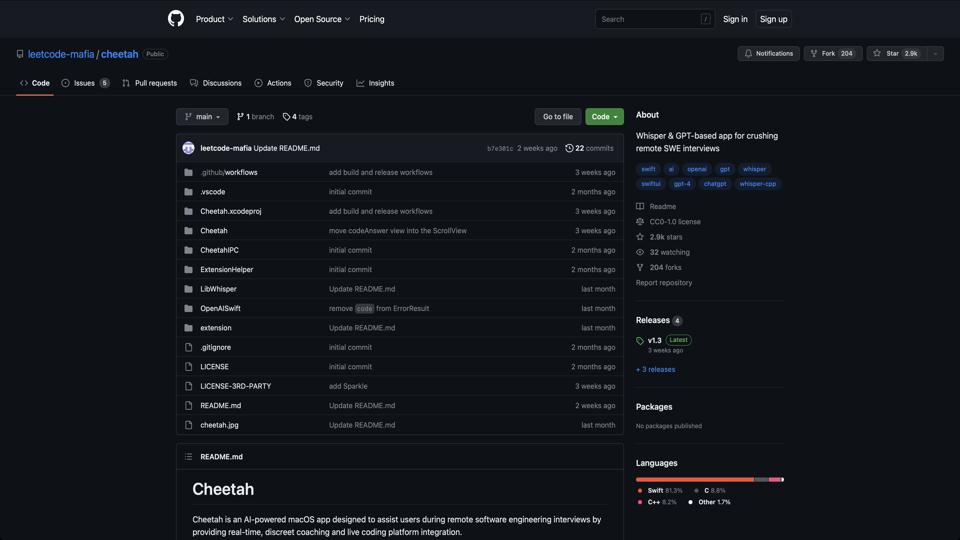
Cheetah is an open-source tool developed by the LeetCode Mafia community, available on GitHub at https://github.com/leetcode-mafia/cheetah. It is marketed as an “ultra-fast, multi-threaded LeetCode solver” written in Python. The tool automates the process of solving LeetCode problems by leveraging AI models (like GPT) to generate and submit solutions. It’s designed for developers preparing for coding interviews, but it raises ethical concerns due to its potential for misuse in competitive environments. Released in 2023, it has gained attention for its speed and integration capabilities, though it’s not officially endorsed by LeetCode.

Key Features

  • Multi-Threaded Solving: Processes multiple LeetCode problems simultaneously, significantly reducing solving time.
  • AI Integration: Uses large language models (e.g., via OpenAI API) to generate code solutions automatically.
  • Customizable: Supports configuration for specific problem sets, difficulty levels, and submission preferences.
  • Browser Automation: Integrates with Selenium for logging into LeetCode and submitting solutions programmatically.
  • Command-Line Interface: Easy to use via CLI commands, with options for filtering problems by tags or status.

Pros

  1. Efficiency: Can solve hundreds of problems in minutes, making it a time-saver for practice and learning.
  2. Educational Value: Users can review generated solutions to understand different approaches to problems.
  3. Open-Source: Free to use and modify, with a growing community contributing to improvements.
  4. Flexibility: Works with various AI backends, allowing customization based on user preferences.

Cons

  • Ethical Issues: Encourages cheating on platforms like LeetCode, which could lead to account bans or undermine genuine skill development.
  • Dependency on APIs: Requires API keys (e.g., OpenAI), which incur costs and may have rate limits.
  • Potential Inaccuracies: AI-generated solutions aren’t always optimal or correct, requiring manual verification.
  • Legal Risks: Automating submissions might violate LeetCode’s terms of service, risking platform restrictions.
  • Setup Complexity: Involves installing dependencies like Selenium and configuring environments, which can be challenging for beginners.

How to Use

To get started with Cheetah:

  1. Clone the repository: git clone https://github.com/leetcode-mafia/cheetah.git
  2. Install dependencies: pip install -r requirements.txt
  3. Configure your LeetCode credentials and API keys in the config file.
  4. Run the solver: python cheetah.py --problems easy --threads 10

For detailed instructions, refer to the README.md on GitHub.

Conclusion and Rating

Cheetah is a powerful tool for automating LeetCode practice, ideal for those looking to quickly generate solutions for study purposes. However, its potential for abuse makes it controversial. I recommend using it responsibly, perhaps offline for learning rather than live submissions. Overall rating: 7/10 – innovative but ethically questionable.

Reviewed by AI Tool Specialist on October 2023. For alternatives, check out tools like other LeetCode solvers on GitHub.

Join the AI revolution!
Building the world's finest AI community is no walk in the park, do you want
to be a part of the change? Let's work faster, smarter and better!