Gradio Review: Effortless Interfaces for Machine Learning Models

Overview

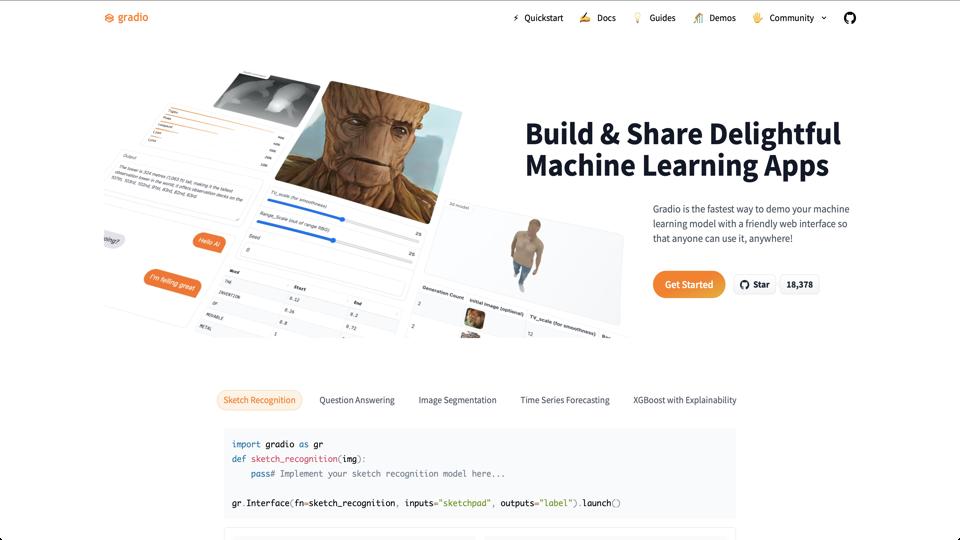
Gradio is an open-source Python library designed to help developers create interactive web interfaces for machine learning models, Python functions, or any code that requires user input and output. Available at gradio.app, it simplifies the process of building demos, allowing users to interact with models via a simple web app without needing extensive web development skills. Launched by a team focused on making ML accessible, Gradio has gained popularity for its ease of use in prototyping and sharing AI applications.

Key Features

  • Quick Setup: Create a functional interface in just a few lines of code, with automatic handling of inputs like text, images, audio, and outputs like predictions or visualizations.
  • Component Library: Includes pre-built components such as sliders, dropdowns, file uploads, and more, supporting various data types.
  • Sharing Capabilities: Easily deploy apps to Hugging Face Spaces or share via public links, with options for permanent hosting.
  • Integration: Works seamlessly with popular ML frameworks like TensorFlow, PyTorch, and scikit-learn.
  • Customization: Allows CSS styling, theming, and even state management for more complex interactions.
  • API Mode: Exposes your interface as a REST API for programmatic access.

Pros

  • Extremely user-friendly for beginners, reducing the barrier to creating ML demos.
  • Fast prototyping – go from model to interactive app in minutes.
  • Free and open-source, with strong community support and regular updates.
  • Excellent for collaboration, education, and showcasing projects on platforms like GitHub or Hugging Face.
  • Handles multimedia inputs/outputs natively, making it ideal for computer vision or NLP tasks.

Cons

  • Limited advanced customization compared to full web frameworks like Streamlit or Dash for very complex UIs.
  • Performance can lag for high-traffic apps without proper scaling (though Hugging Face integration helps).
  • Primarily Python-based, so not suitable for non-Python environments.
  • Dependency on external hosting for production use, which may incur costs for heavy usage.

Pricing

Gradio is completely free to use as an open-source library. Hosting on Hugging Face Spaces offers a free tier with options for paid upgrades for more resources (e.g., GPU acceleration starting at $0.03/hour).

Conclusion and Recommendation

Gradio is a fantastic tool for anyone looking to quickly build and share interactive ML demos without diving into web development complexities. It’s particularly recommended for data scientists, educators, and hobbyists. If you need something more robust for enterprise-level apps, consider combining it with other frameworks. Overall rating: 4.5/5. Check it out at gradio.app and start building!

Join the AI revolution!
Building the world's finest AI community is no walk in the park, do you want
to be a part of the change? Let's work faster, smarter and better!