Overview of DeepFaceLab

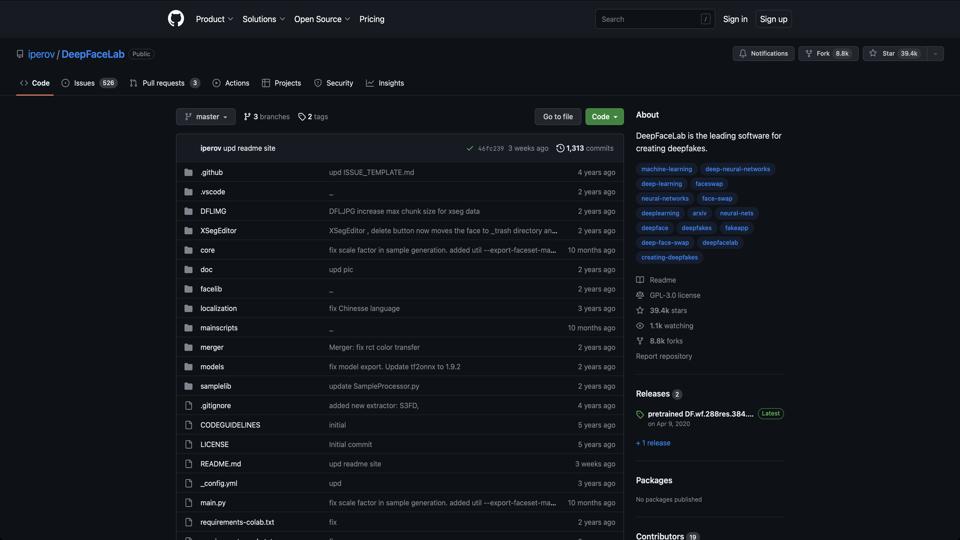
DeepFaceLab is an open-source deepfake creation tool developed by iperov, hosted on GitHub. It specializes in face swapping and manipulation using deep learning techniques, making it one of the most popular frameworks for generating realistic deepfakes. Released in 2018, it has garnered a large community due to its accessibility for both beginners and advanced users. However, it’s important to note that deepfake technology raises ethical concerns, including potential misuse for misinformation or privacy violations. This review evaluates its features, usability, and overall performance based on its GitHub repository and user feedback.

Key Features

  • Face Swapping: Core functionality allows users to swap faces in videos or images with high realism using pre-trained models.
  • Model Training: Supports training custom models with datasets of faces, utilizing algorithms like SAE (StyleGAN-based AutoEncoder) and others.
  • Workspace Management: Includes tools for data extraction, sorting, and preprocessing to streamline the workflow.
  • Preview and Export: Real-time preview during training and options to export results in various formats.
  • Community Extensions: Active forks and plugins from the community enhance functionality, such as improved GPU support.
  • Cross-Platform: Primarily for Windows, but works on Linux and macOS with some setup.

Pros and Cons

Pros

  • Free and open-source, with no licensing fees.
  • High-quality results achievable with sufficient training data and hardware.
  • Large community support, including tutorials, forums, and pre-trained models.
  • Customizable and extensible for advanced users.
  • Regular updates from the developer and contributors.

Cons

  • Steep learning curve for beginners; requires understanding of deep learning concepts.
  • Resource-intensive: Demands powerful GPUs (e.g., NVIDIA with CUDA) for efficient training.
  • Ethical risks: Easy to misuse for creating harmful content.
  • Limited official documentation; relies heavily on community resources.
  • Potential instability on non-Windows systems.

Installation and Usage

Installation is straightforward via GitHub cloning or downloading releases. It requires Python, TensorFlow, and CUDA for GPU acceleration. The workflow typically involves:

  1. Extracting faces from source and destination videos.
  2. Training a model on the datasets.
  3. Merging the faces and exporting the final video.

User reviews highlight its effectiveness for hobbyists and researchers, but emphasize the need for patience during long training sessions.

Conclusion

DeepFaceLab is a powerful tool for deepfake enthusiasts and AI researchers, scoring an 8/10 for its capabilities and community backing. It’s best suited for those with technical expertise and ethical awareness. For alternatives, consider Faceswap or SimSwap. Always use responsibly and check local laws regarding deepfake creation. Visit the official repository for the latest version and contributions.

Join the AI revolution!
Building the world's finest AI community is no walk in the park, do you want
to be a part of the change? Let's work faster, smarter and better!