
Overview

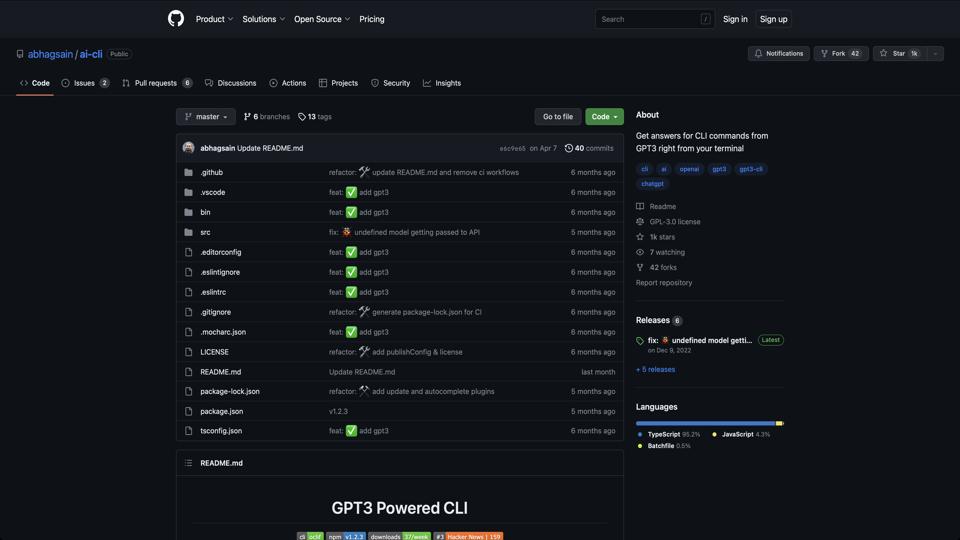
AI CLI is an open-source command-line tool available on GitHub at https://github.com/abhagsain/ai-cli. It integrates the power of AI models like GPT-3 directly into your terminal, allowing users to generate text, code, answers to questions, and more without leaving the command line. Developed by Abhag Sain, this tool aims to enhance productivity for developers, writers, and anyone who prefers CLI interactions over web-based interfaces. It’s built with Node.js and requires an OpenAI API key for functionality.

Key Features

  • AI-Powered Responses: Ask natural language questions and get intelligent replies powered by OpenAI’s models.
  • Code Generation: Generate code snippets in various programming languages based on your prompts.
  • Text Completion and Editing: Complete sentences, edit text, or generate creative content directly in the terminal.
  • Customizable Prompts: Supports custom commands and prompts for tailored interactions.
  • Easy Integration: Works seamlessly on macOS, Linux, and Windows with minimal setup.

Installation and Setup

Getting started with AI CLI is straightforward. Here’s a step-by-step guide:

  1. Ensure you have Node.js and npm installed on your system.
  2. Clone the repository: git clone https://github.com/abhagsain/ai-cli.git
  3. Navigate to the directory: cd ai-cli
  4. Install dependencies: npm install
  5. Set up your OpenAI API key by creating a .env file or exporting it as an environment variable.
  6. Run the tool: node index.js or link it globally for easier access.

Note: You’ll need an active OpenAI account and API key, which may incur costs based on usage.

Pros

  • Highly convenient for terminal enthusiasts, reducing the need to switch to browsers or apps.
  • Fast and lightweight, with quick responses for everyday tasks.
  • Open-source, allowing community contributions and custom modifications.
  • Supports a wide range of use cases, from debugging code to brainstorming ideas.

Cons

  • Requires an OpenAI API key, which adds a dependency on external services and potential costs.
  • Limited to text-based interactions; no support for images or advanced multimedia yet.
  • May have occasional inaccuracies in AI responses, as with any LLM-based tool.
  • Setup might be intimidating for non-technical users unfamiliar with Node.js.

Conclusion

AI CLI is a solid choice for developers and power users looking to harness AI capabilities directly in the terminal. Its simplicity and integration make it a valuable addition to any CLI toolkit, though it shines best when paired with an understanding of API limits and costs. If you’re into automation and quick AI assistance, give it a try—it’s free to install and experiment with. For more details, visit the official GitHub repository.

Join the AI revolution!
Building the world's finest AI community is no walk in the park, do you want
to be a part of the change? Let's work faster, smarter and better!